A restaurant menu maker that knows what a menu is.
Create a restaurant menu online: build it from scratch or import the one you already have, style it with themes designed for menus, and publish it to the web, a QR code, print, or a TV screen. Free to start, no card needed.
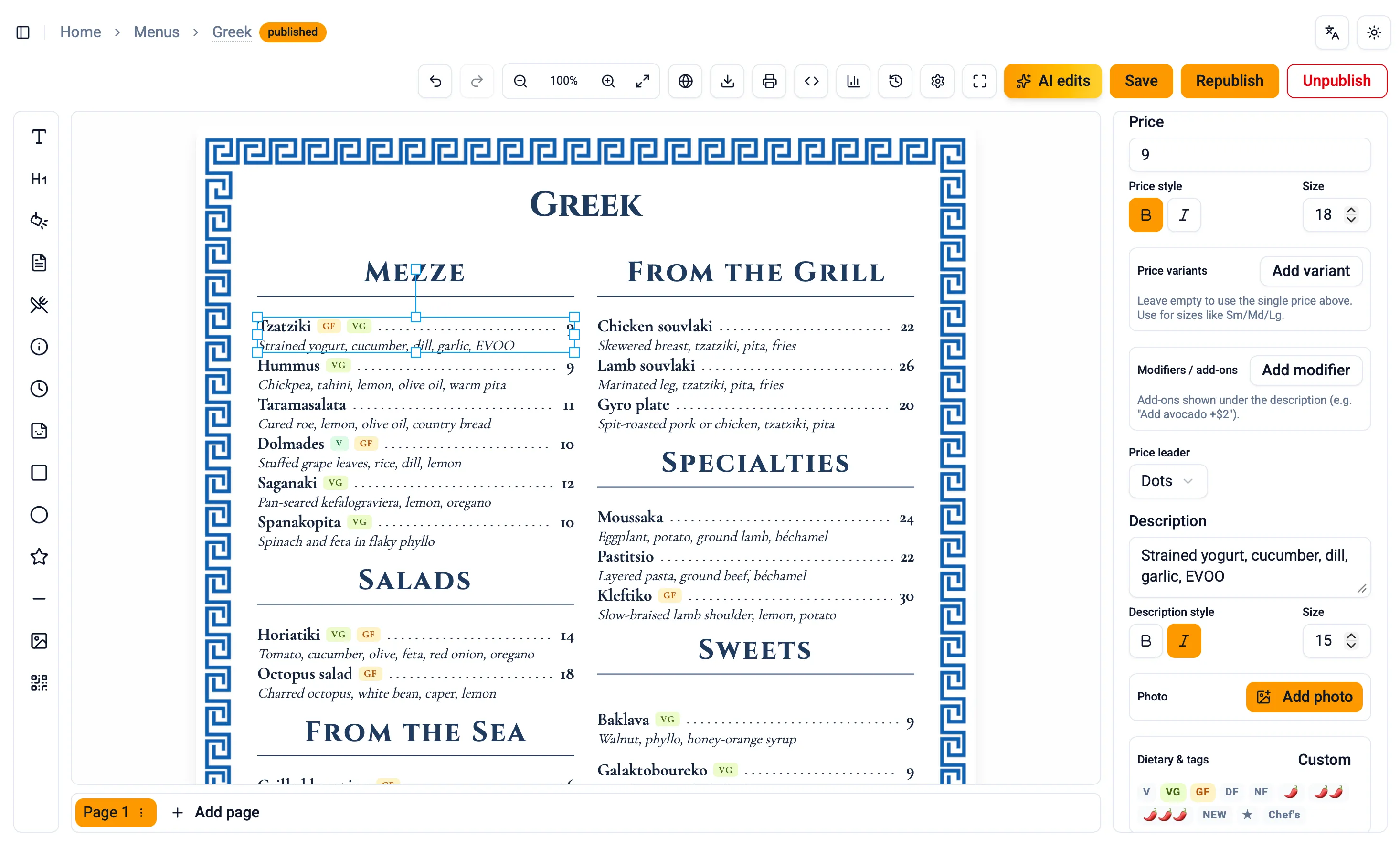
How to make a restaurant menu online
- Start with your menu. Type it in, or import it from a PDF, a photo, pasted text, or a spreadsheet. It arrives as editable sections and dishes, not a flat picture.
- Pick a theme. Choose a look designed for menus and make it yours: fonts, colors, spacing, and ornaments.
- Fine tune the layout. Drag, align, and edit right on the page in a full restaurant menu editor.
- Publish everywhere. One click puts the menu on its own web page, a QR code, a print file, or a TV screen.
Built for menus, not posters
A general design tool treats your menu as a poster: every dish is loose text you position by hand, and every price change is surgery. Menu Author is a menu builder in the literal sense. It understands sections, dishes, prices, add-ons, and dietary tags, so moving a section moves its dishes, restyling one dish can restyle them all, and a price change is just typing. The restaurant menu editor gives you the fine control of a design surface on top of that structure.
Design help built in
Themes give the whole menu a consistent visual language: typography, colors, spacing, and ornaments that were chosen to work together on a menu page. Pick one from the theme gallery, adjust it to your brand, and every new dish you add inherits the look. If writing is the hard part, the AI tools can polish dish descriptions, and menu translations serve the same menu in up to 27 languages with you approving every line.
One menu, every format
The menu you make is not locked to one output. Publish it to a fast web page, generate a QR code menu for the tables, export a file your print shop can use, or put it on a TV screen as a menu board. Change a dish once and every format follows, so the board, the table tent, and the website never disagree.
Questions, answered
- Can I create a restaurant menu online for free?
- Yes. You can build a menu, publish it, and create a QR code on the free plan, with no card required.
- Do I have to start from scratch?
- No. Import an existing menu from a PDF, a photo of the printed menu, an Excel or CSV file, or pasted text, and it becomes editable sections and dishes you can restyle.
- Can I print the menu I make?
- Yes. Export a print file set up for real print shops, with bleed, crop marks, and resolution handled for you. The print guide covers the details.
- How is this different from a design template?
- A template gives you a picture of a menu. Menu Author knows your dishes, prices, and dietary tags as structured content, so the same menu can flow to print, the web, a QR code, and a TV without redoing the layout.
- Does it create logos or background images for me?
- No. Menu Author doesn't generate imagery: backgrounds come from your theme, from over 50 patterns with editable colors, from a curated gallery, or from images you upload, and the logo block displays your own artwork. If you import a PDF that contains high quality backgrounds or a logo, a best effort is made to extract them and reuse them in the rebuilt menu.