Analytics
Once your menu is out in the world, Analytics shows you how it is actually being used, how many people are viewing it, where those views are coming from, and how your restaurants compare to each other.
Total views
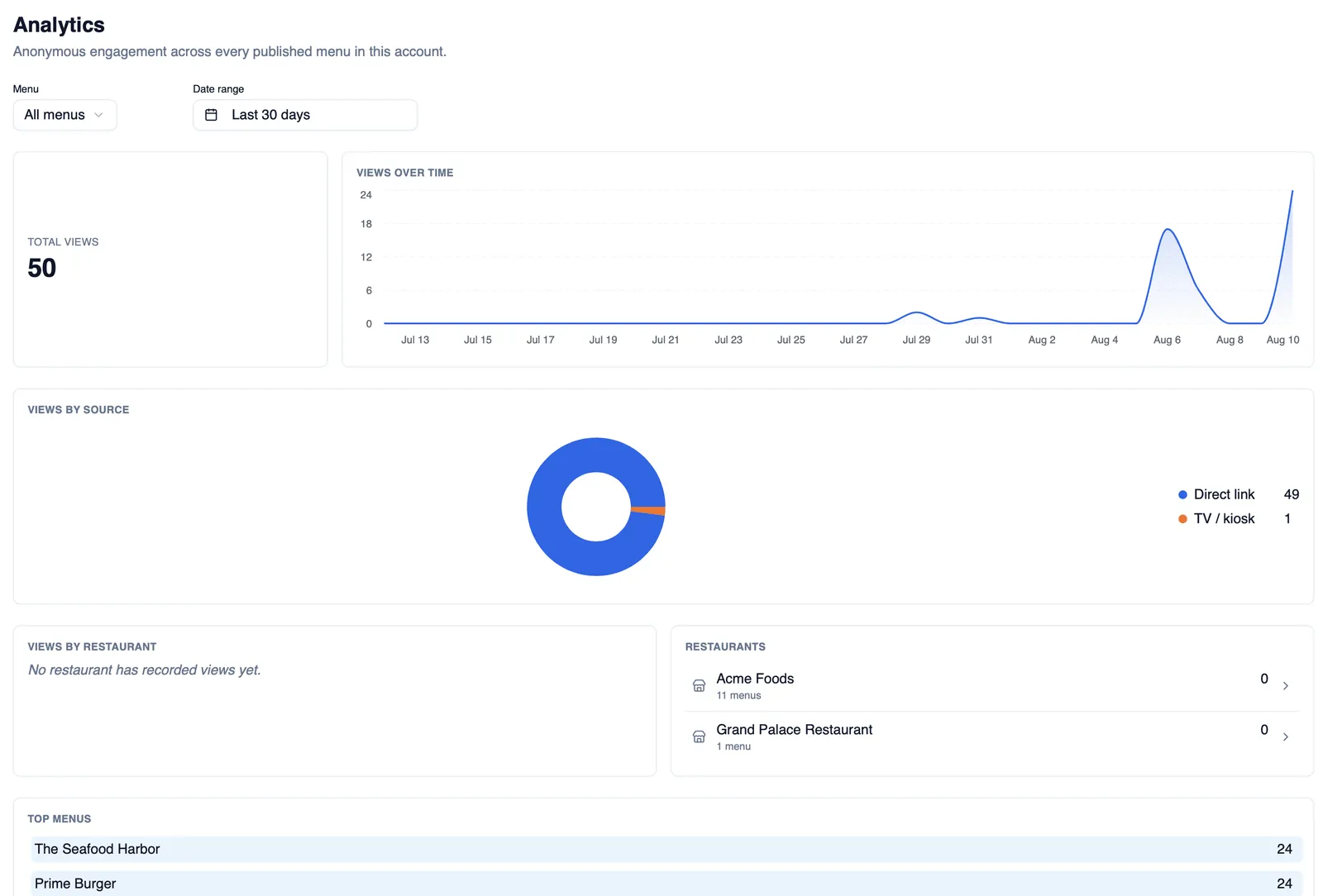
Section titled “Total views”Analytics starts with your total views, a straightforward count of how many times your menus have been opened.
Views over time
Section titled “Views over time”See views over time on a chart, with custom date ranges so you can zoom into a particular week, month, or any period you choose.
Views by source
Section titled “Views by source”Every view is attributed to one of four sources: Direct link, QR code, Website embed, or TV kiosk. Views by source breaks your totals down across these four, so you can see which channels are actually bringing diners to your menu.
Views by restaurant
Section titled “Views by restaurant”If your account has more than one restaurant, views by restaurant breaks your totals down across them, so you can see how each location is performing at a glance.
Top menus
Section titled “Top menus”A top menus list surfaces which of your menus are getting the most views, useful for spotting which one deserves your attention next.
Restaurant leaderboard
Section titled “Restaurant leaderboard”The restaurant leaderboard ranks your restaurants against each other by views, giving you a quick read on how your locations compare.
The restaurant drill-down page
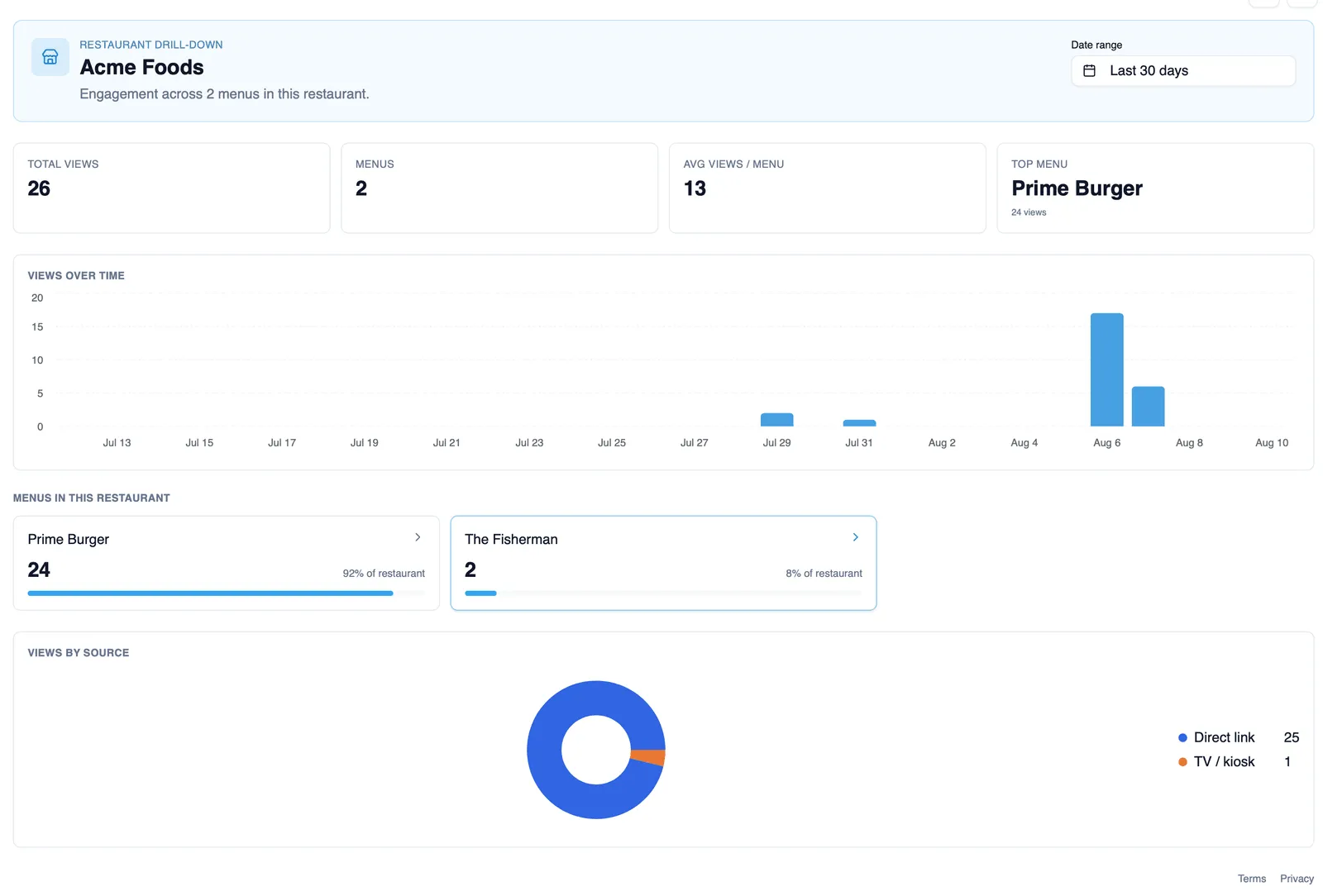
Section titled “The restaurant drill-down page”Open a restaurant from the leaderboard to drill down into its own analytics page: total views, number of menus, average views per menu, its top menu, and a per-menu share breakdown showing how views split across that restaurant’s menus.
Live refresh
Section titled “Live refresh”Analytics refreshes live, so the numbers you are looking at keep updating without you needing to reload the page.
Privacy
Section titled “Privacy”Menu Author’s analytics are privacy-respecting: what you see are anonymized counts, not personal data about the diners viewing your menu.
Guest analytics consent
Section titled “Guest analytics consent”Guests get consent controls over analytics, so their views are only counted in line with the choice they make.
How to see where your views are coming from
Section titled “How to see where your views are coming from”- Open Analytics.
- Check views by source to see the split across Direct link, QR code, Website embed, and TV kiosk.
- If you have more than one restaurant, open the leaderboard and drill down into a restaurant for its own totals, average views per menu, top menu, and per-menu share.
Your dashboard also carries a quick analytics widget, see The dashboard for that overview, and if you want to grow the numbers you are watching here, QR codes, TV and kiosk display, and Embedding basics cover the channels behind three of these four sources.