Quick start: your first menu
This is the fastest way to see Menu Author work: turn a menu you already have into a published, shareable web page in a few minutes. It assumes you have already created a restaurant. If you have not, start with Create your account.
Generate, review, and publish your menu
Section titled “Generate, review, and publish your menu”-
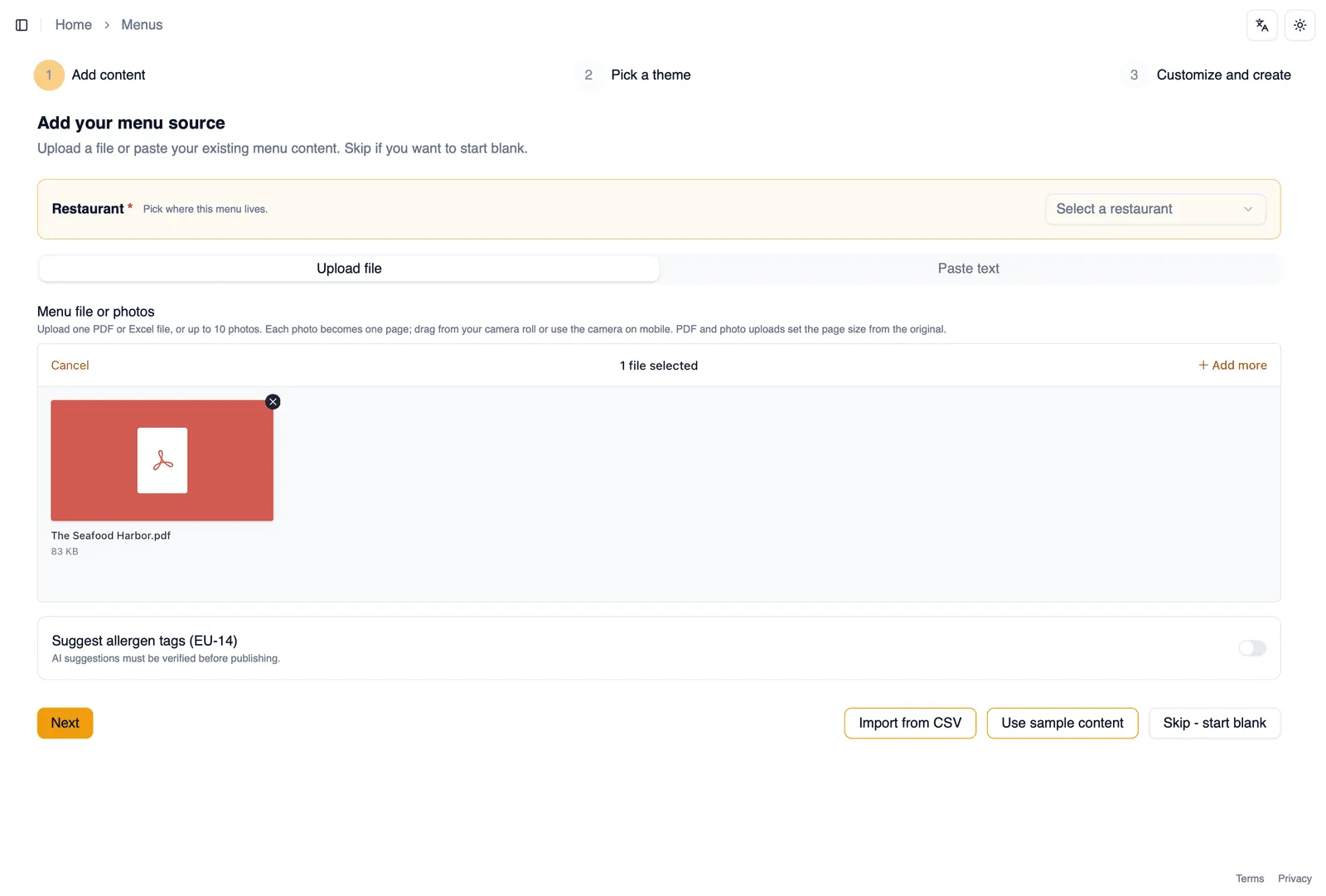
Start a new menu, then choose to generate it from an existing menu instead of starting from scratch.
-
Choose your source: upload a photo of your printed menu, or upload a PDF. Leave Match the original design switched on and Menu Author proposes a style matched to your upload’s colors, fonts, and layout, lifting out its logo and background artwork where it can.
-
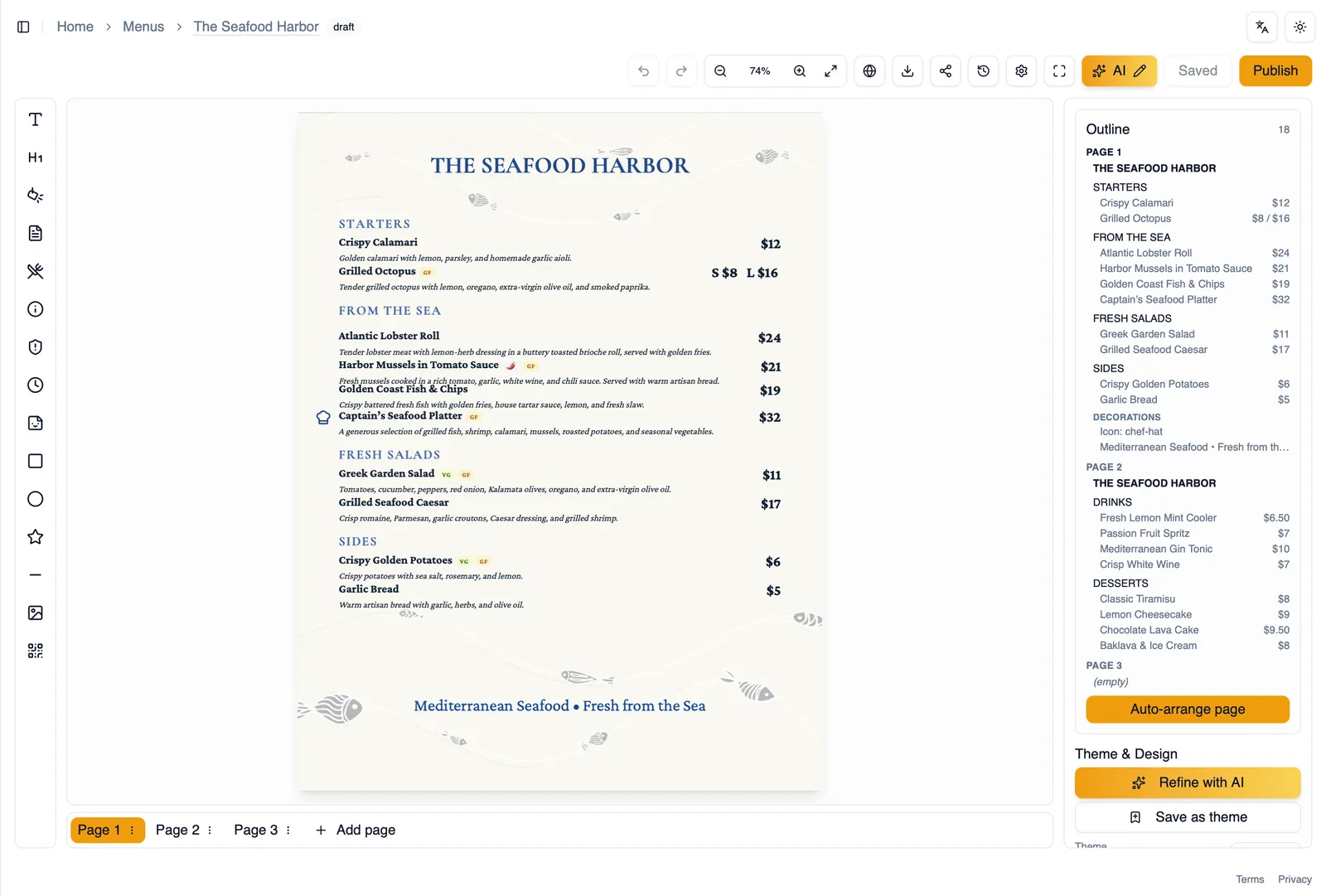
Menu Author reads your menu and builds a first draft automatically. Longer menus take a little longer.
-
When it is ready, you land in the editor with your new menu already laid out. Review each section and item, and fix anything that needs adjusting, wrong prices, typos, missing items, before moving on.
-
When you are happy with it, click Publish.
-
Open Share & Embed and download the QR code. Print it, put it on your tables, and diners can scan straight through to your new menu.
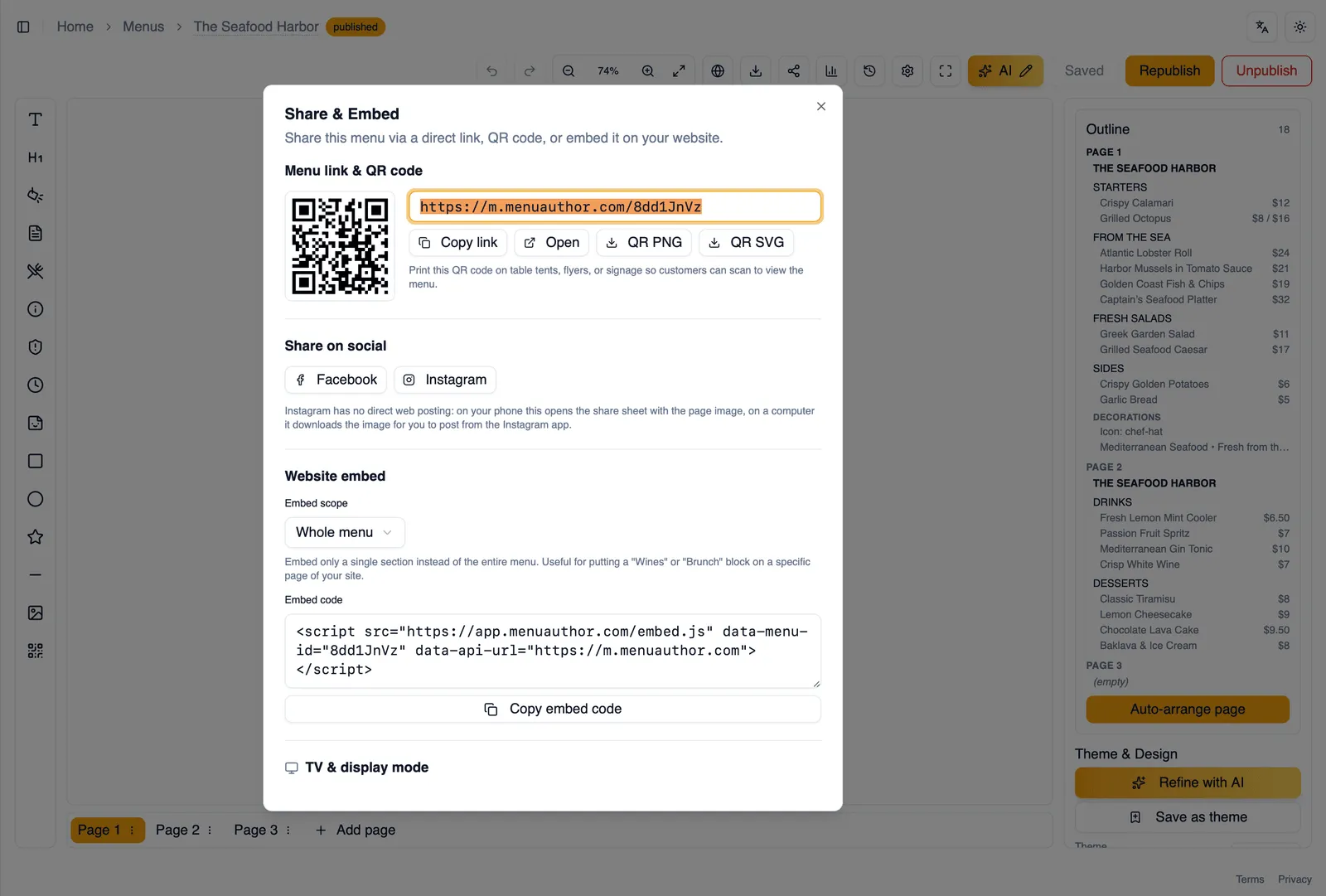
That’s the whole loop: from a photo or PDF you already have, to a live menu with a scannable QR code on your tables.
Head to The dashboard to see your new menu reflected in your stat cards and analytics.