Themes
A theme is a complete look for your menu: its palette, fonts, and layout bundled together. Rather than styling everything piece by piece, you can start from a curated theme and adjust it from there. Themes live in the Theme and Design panel, next to the property panel described in Editor tour.
The theme catalog
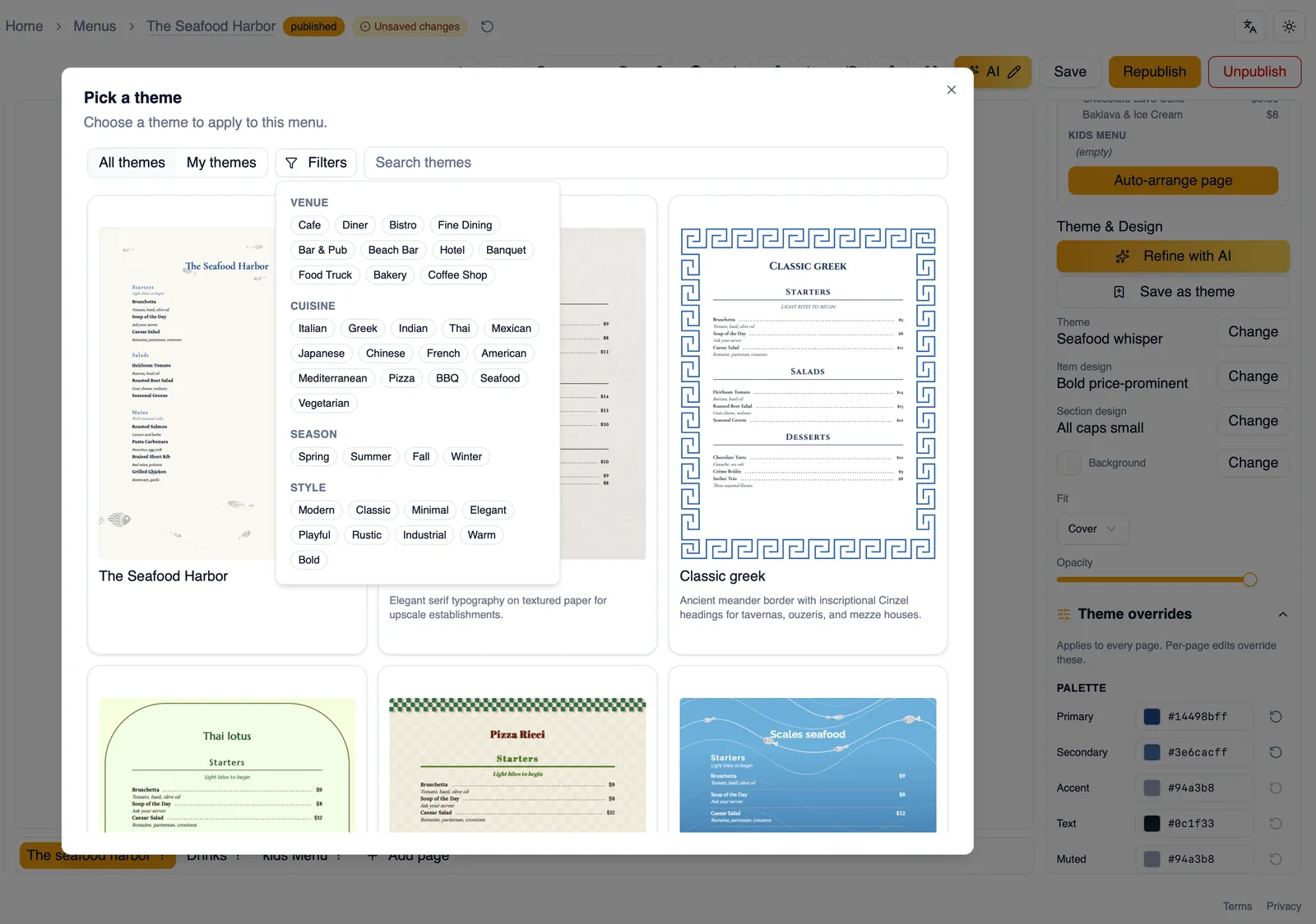
Section titled “The theme catalog”The catalog is a curated set of themes ready to apply to any menu. Search it by name, or narrow it down with filters for Season, Cuisine, Venue, and Style, so you can jump straight to something that fits a summer patio menu or a formal steakhouse without scrolling past everything else.
Live previews
Section titled “Live previews”Select a theme in the catalog and your canvas updates right away to show it applied to your actual menu, not a generic sample. This makes it easy to compare a few candidates against your real content before committing to one.
Applying a theme
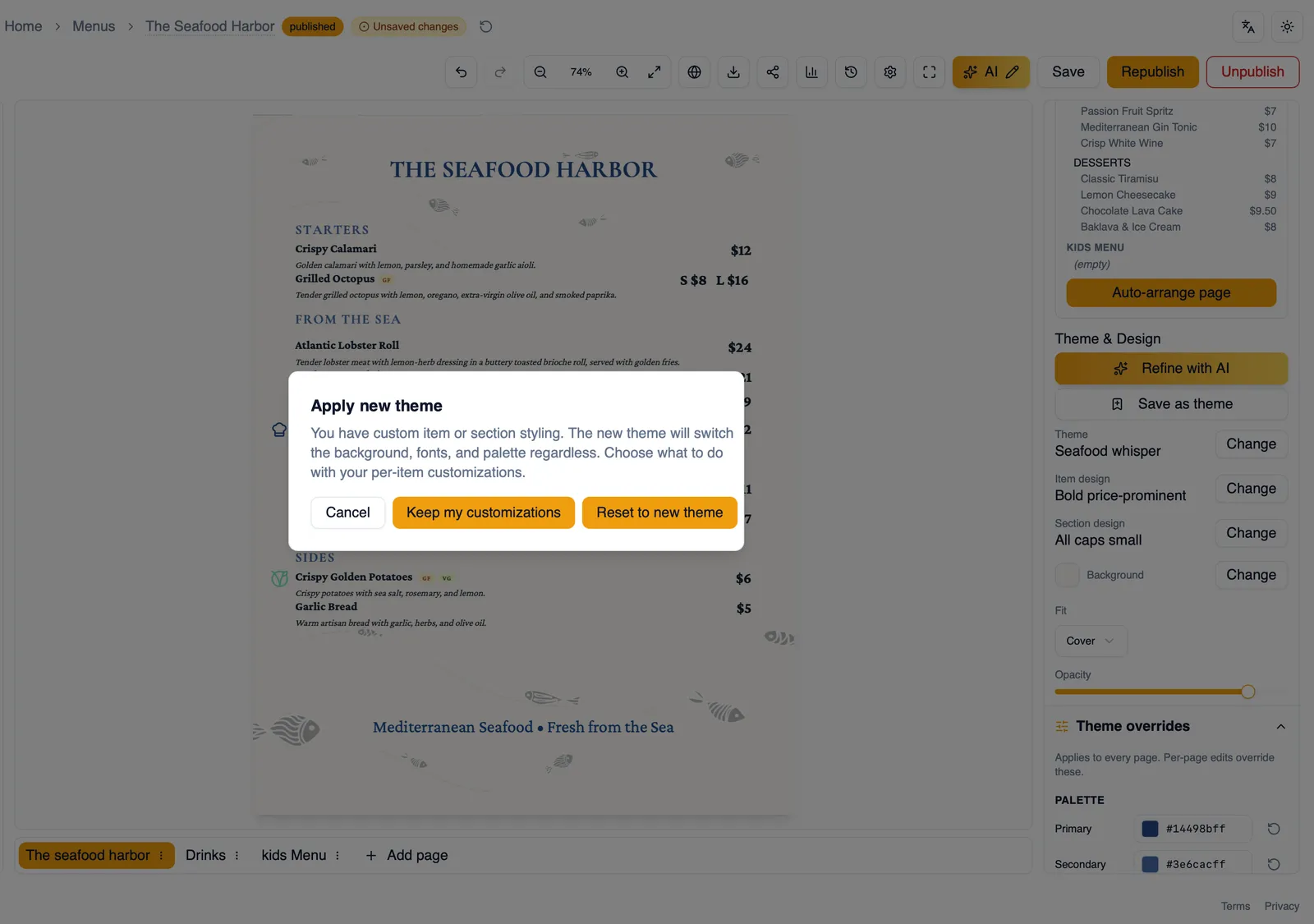
Section titled “Applying a theme”When you apply a new theme, a dialog asks how to handle any styling you have already customized. Choose Keep my customizations to carry over the tweaks you have made on top of your current theme, or Reset to new theme to start clean with the new theme’s own defaults.
Undoing a theme change
Section titled “Undoing a theme change”Applying a theme is fully undoable, just like any other change to your menu. If a new theme does not work out, undo takes you straight back to how things looked before you applied it.
How to apply a new theme
Section titled “How to apply a new theme”- Open the Theme and Design panel.
- Browse the catalog, or use search and the Season, Cuisine, Venue, and Style filters to narrow it down.
- Select a theme to see it previewed live on your canvas.
- Apply it, then choose Keep my customizations or Reset to new theme in the dialog.
- If it is not the right fit, undo to return to your previous theme.
Once you have a theme applied, continue to Item and section designs to fine-tune how items and sections look, or Theme overrides to adjust its palette, fonts, and layout directly.