Share on social media
Share & Embed also covers sharing your menu on social media, with a path built for each platform’s own quirks.
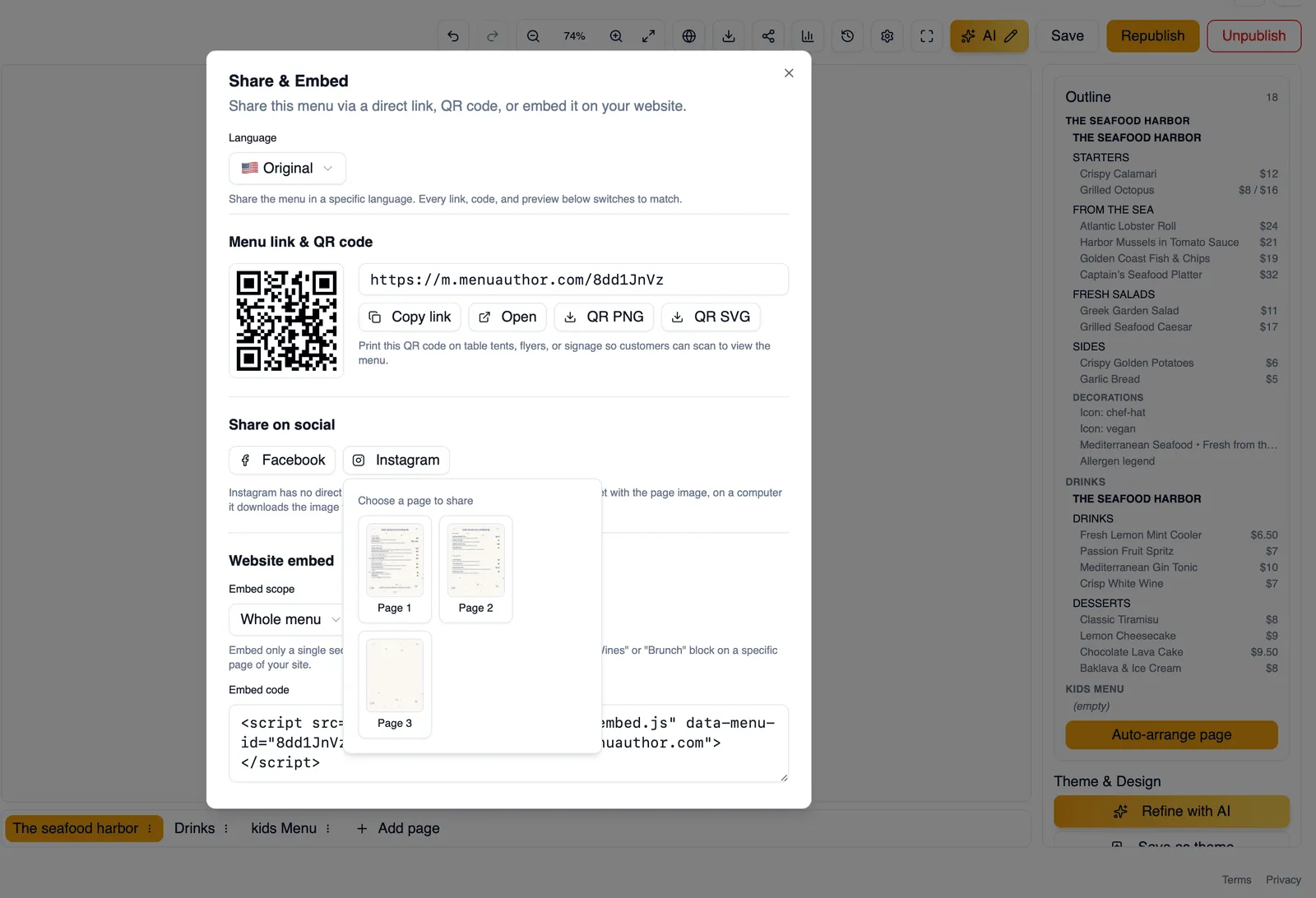
Sharing to Facebook
Section titled “Sharing to Facebook”Share your menu straight to Facebook from the dialog, without leaving Menu Author or copying a link into a separate post yourself.
Sharing to Instagram
Section titled “Sharing to Instagram”Instagram does not support clickable links the way Facebook does, so instead you pick one page of your menu as an image and download it, ready to post yourself.
How to share a page of your menu to Instagram
Section titled “How to share a page of your menu to Instagram”- Open Share & Embed on your published menu.
- Go to the Instagram sharing option.
- Pick the page of your menu you want to share as an image.
- Download the image.
- Post it to Instagram the way you would any other photo.
That covers getting your menu out through publishing, QR codes, a TV display, and social media.