Polish with AI
Polish with AI rewrites your menu’s wording for you, names, descriptions, whatever text you point it at, using a preset you choose. Nothing changes until you say so: every suggestion arrives as a reviewable diff, row by row, that you accept or reject yourself.
The seven presets
Section titled “The seven presets”Choose one preset each time you run Polish with AI:
- Polish: general improvements to wording and clarity.
- Fix grammar only: correct grammar and spelling without changing your wording or tone.
- More elegant: give your wording a more refined, upscale tone.
- More concise: tighten wording and cut anything unnecessary.
- More evocative: make descriptions more vivid and appetizing.
- More casual: give your wording a more relaxed, informal tone.
- More formal: give your wording a more formal, polished tone.
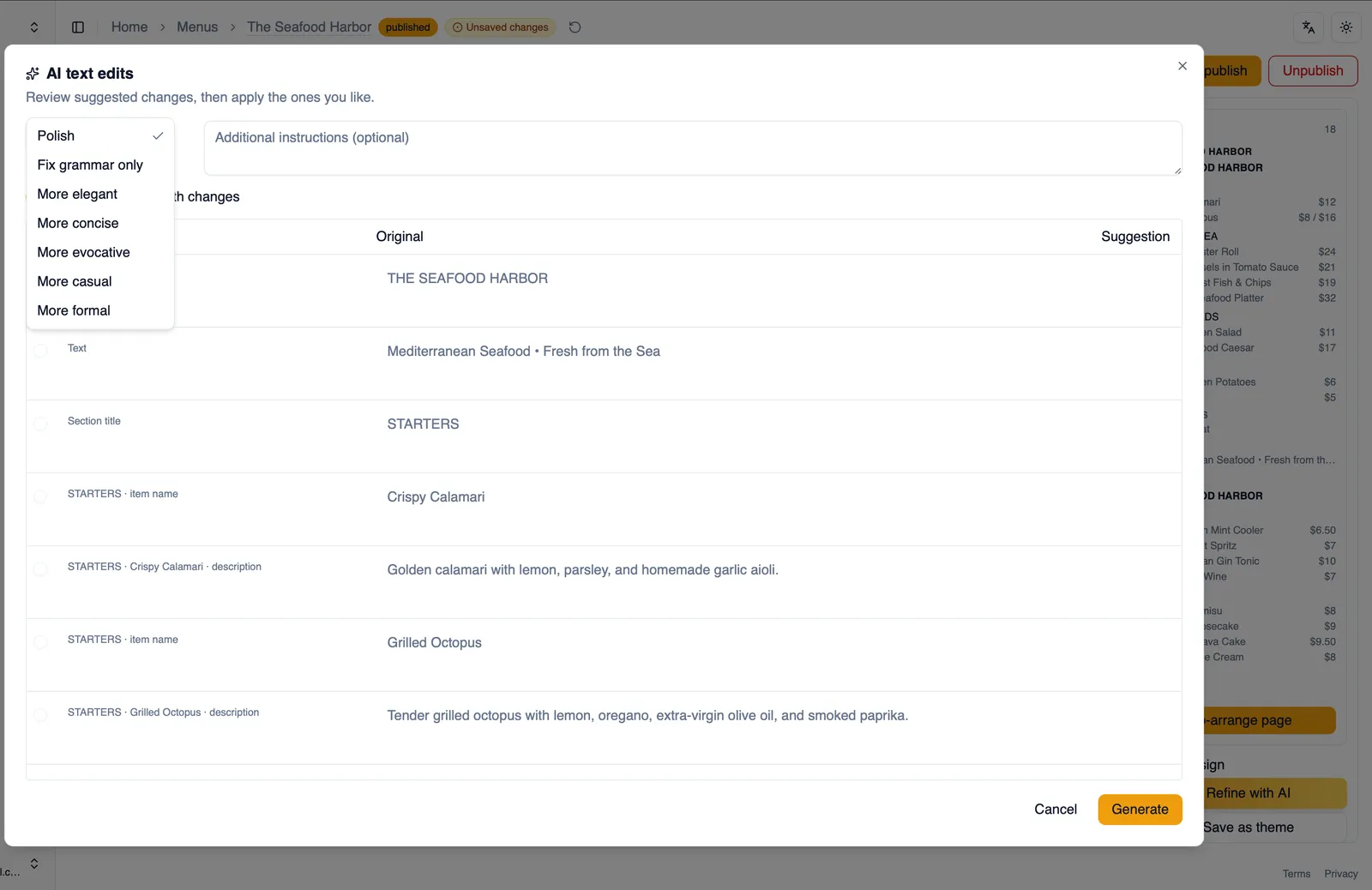
Reviewing suggestions
Section titled “Reviewing suggestions”After a preset runs, you get a diff for every row it touched: your original text next to the suggested rewrite. Accept or reject each row on its own, or select all to accept everything at once. Turn on Show only rows with changes to hide rows AI left untouched, so you only look at what actually changed. Not happy with a few suggestions? Uncheck those rows and choose Re-run unchecked to have AI try them again, without touching rows you have already accepted.
How to polish your menu’s wording
Section titled “How to polish your menu’s wording”- Open AI in the editor’s top bar, then choose Polish with AI.
- Choose a preset, for example Polish or Fix grammar only.
- Turn on Show only rows with changes to review only what changed.
- Accept or reject each suggested row, or select all to accept everything.
- Uncheck any rows you want AI to try again, then choose Re-run unchecked.
Your voice stays yours
Section titled “Your voice stays yours”Because every suggestion is a diff you accept or reject line by line, Polish with AI never republishes wording on its own. Your menu keeps the voice you gave it, preset by preset, row by row, exactly as far as you choose to take it.
That covers rewriting your menu’s wording with AI. For turning an existing menu into a first draft in the first place, see Generate a menu with AI.